
Retro Clock Widget7.5.3 - Get APK
You'll be able to download in few seconds.
Publisher Description
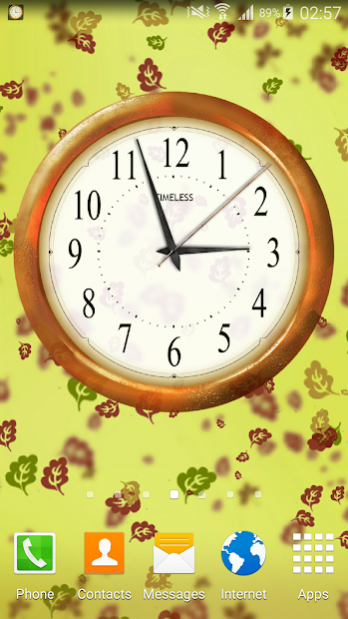
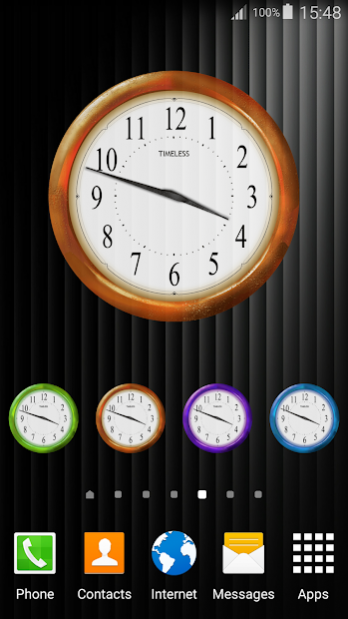
✧ Retro Clock Widget ✧ is now a clock with real time seconds!
Get now our latest Smart Widget! ★ Retro Clock Widget ★ is the best choice for your home screen!
Simple, beautiful and with a vintage look ★ Retro Clock Widget ★ will give your phone a new face. Just change the colors to find the best fit for you!
With an unique design and an easy but professional interface, this clock widget will be a perfect fit for your phone.
❤︎ HOW TO USE ❤︎:
★ Long tap an empty space on the home screen (a space where you do not have app icons or other widgets)
★ Find the Widgets (or System Widgets) tab or icon and tap it
★ On Widgets screen swipe to find Retro Clock Widget
★ Choose between 4 clock sizes (small, medium, large, huge)
★ On some devices you will have to long tap the desired clock and drag it on the home screen
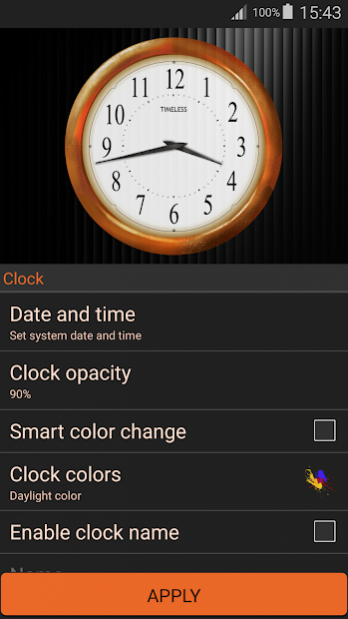
★ Customise your clock with colors and desired transparency
★ Enable the second hand for a live experience
★ Match your clock widget with the best wallpaper designed by us
♦︎ The app will also open a tutorial to show you how to place the clock widget on the home screen.
Clock Widget App is especially designed to help you be always on time and also make your phone more beautiful.
Our Clock Widget App offers you the possibility to choose between three sizes. Small (1x1) - a cute small clock that is the size of an icon, Medium (2x2) - the perfect size for those who want to make their phone the most beautiful and unique, Large (3x3) - the best size for you if you want everyone to notice your phone, Huge (4x4) - the biggest clock ever seen and it is just for your phone.
Our artists have prepared a lot of beautiful themed wallpapers for you to match it with your clock widget.
We have implemented some ads to help us develop more free apps just for you.
About Retro Clock Widget
The company that develops Retro Clock Widget is Smart Widget Apps. The latest version released by its developer is 7.5.3.
To install Retro Clock Widget on your Android device, just click the green Continue To App button above to start the installation process. The app is listed on our website since 2020-06-18 and was downloaded 0 times. We have already checked if the download link is safe, however for your own protection we recommend that you scan the downloaded app with your antivirus. Your antivirus may detect the Retro Clock Widget as malware as malware if the download link to com.smartwidgetapps.retroclockwidget is broken.
How to install Retro Clock Widget on your Android device:
- Click on the Continue To App button on our website. This will redirect you to Google Play.
- Once the Retro Clock Widget is shown in the Google Play listing of your Android device, you can start its download and installation. Tap on the Install button located below the search bar and to the right of the app icon.
- A pop-up window with the permissions required by Retro Clock Widget will be shown. Click on Accept to continue the process.
- Retro Clock Widget will be downloaded onto your device, displaying a progress. Once the download completes, the installation will start and you'll get a notification after the installation is finished.
Program Details
System requirements
Download information
Pricing
Version History
version 7.5.3
posted on 2020-06-18
Added more PRO features: date inside the clock and adjustable padding for widget.
Optimised app performance.
Bug fixes.
version 7.5.2
posted on 2020-06-08
Added new PRO features: name inside the clock and adjustable padding for widget.
Optimised app performance.
Bug fixes.
version 7.5.0
posted on 2020-05-28
Updated app interface!
New wallpapers added!
Optimised app performance.
Bug fixes.
version 7.4.0
posted on 2020-05-21
New wallpapers added!
Optimised app performance.
Bug fixes.
version 7.3.2
posted on 2019-12-21
Show alarms as tap action.
Now you can activate Digital Clock inside the analog, with our latest Pro feature.
Optimised app performance.
Bug fixes.
version 7.3.1
posted on 2019-12-08
Now you can activate Digital Clock inside the analog, with our latest Pro feature.
Optimised app performance.
Bug fixes.
version 7.2.4
posted on 2019-10-22
Now you can buy Pro Version and upgrade for a free ads version and unlimited pro features.
Optimised app performance.
Bug fixes.
Disclaimer
External Download
We do not host Retro Clock Widget on our servers. We did not scan it for viruses, adware, spyware or other type of malware. This app is hosted by Galad and passed their terms and conditions to be listed there. We recommend caution when installing it.
The APK Download link for Retro Clock Widget is provided to you by apps112.com without any warranties, representations or guarantees of any kind, so access it at your own risk.
If you have questions regarding this particular app contact the publisher directly. For questions about the functionalities of apps112.com contact us.
